
Dolceora news
New: the iPhone app, a Foodie list, and plans you can share
Dolceora is in the App Store, with widgets and Lock Screen countdowns. Plus a shared list of places to eat, On This Day, and cards and videos of any plan.
· 2 min read
Shared calendar
Every plan in Dolceora belongs to you, your partner or both of you, and shows in that colour on both your calendars. You’ll know who’s out on Tuesday without having to ask.
Free for both of you. On iPhone, and in the browser on any phone, tablet or computer.
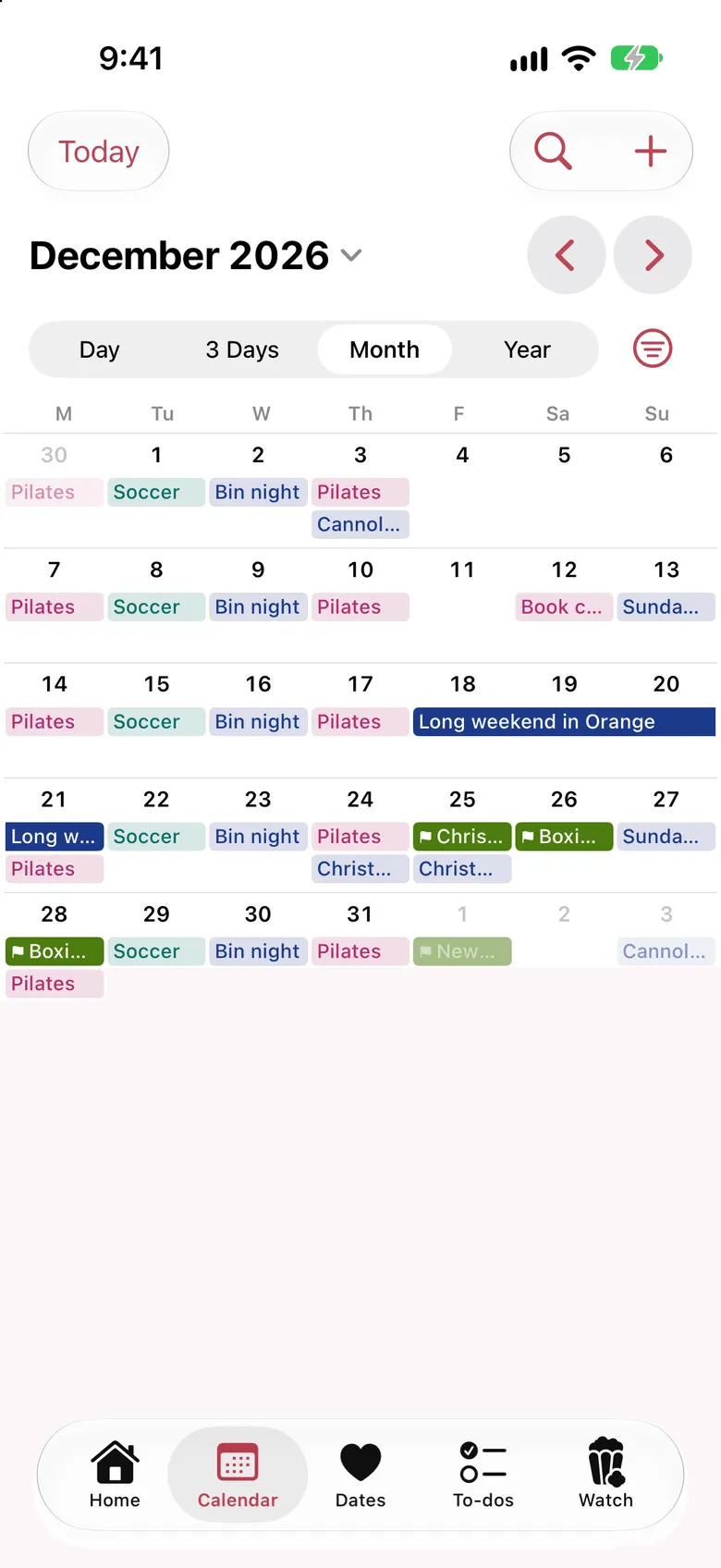
Add a plan as yours or as both of yours. Your partner’s plans show in their colour. Filter to just one of you when you need to.
Zoom from a single Saturday out to the whole year. On a phone, the week view shows three days at a time, so nothing gets squashed.
Every Monday and Thursday. Every second week. Once a month. Change one occurrence or the whole series.
Mark an event as a birthday or anniversary and it repeats every year, in its own colour, with a spot on your Home screen as the day gets close.
Planning a surprise? Hide it from your partner. Only you see the details, and they just see that you’re busy.
Pick your country and state, and the public holidays show on the calendar with a flag. Each of you chooses your own, so a long weekend in one state doesn’t surprise the other.
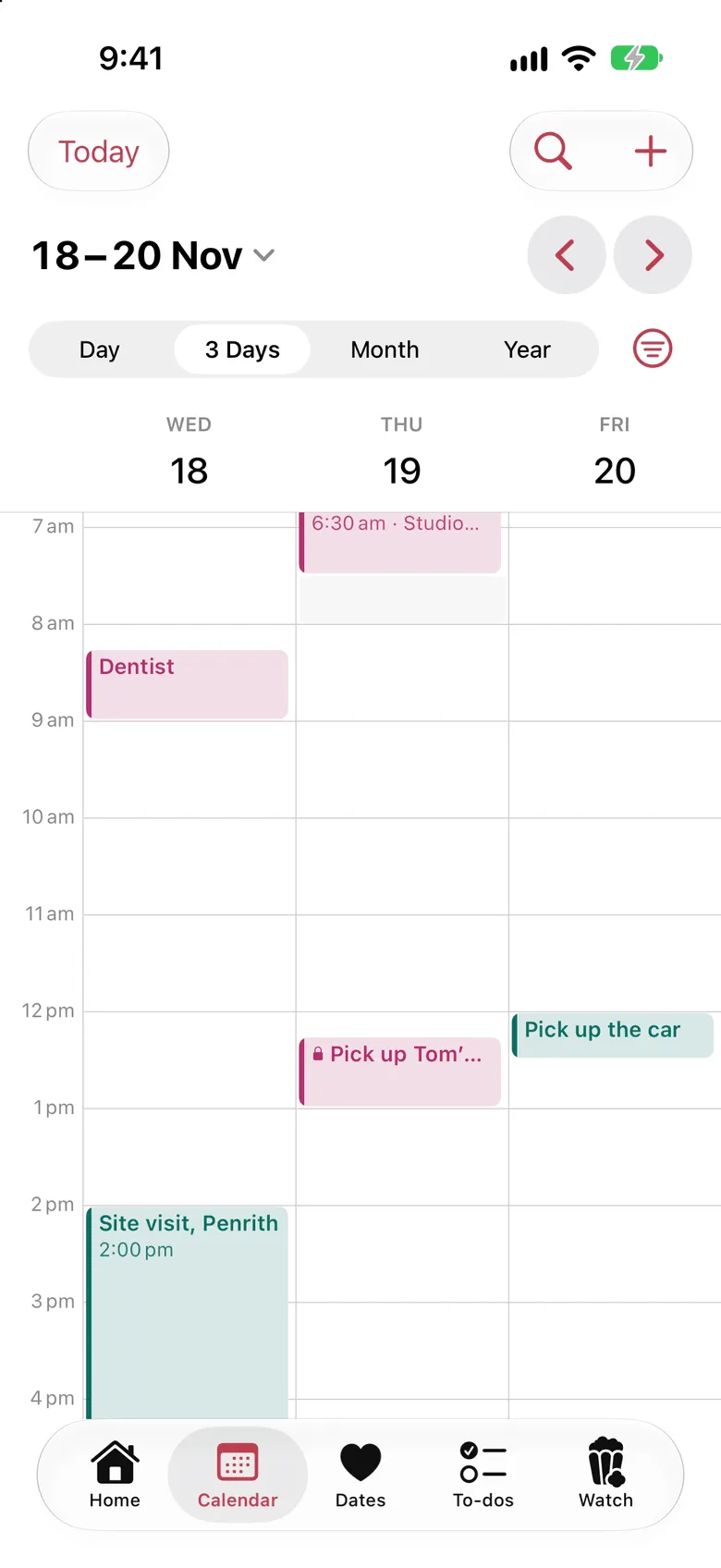
The three-day view lays out the next few days hour by hour. Mia’s plans are pink, Tom’s are green, and the ones they share are navy. The present she’s picking up on Thursday? That’s private. Tom sees she’s busy at lunch, and that’s all.
You can, and plenty of couples do. But a shared calendar in those apps is a third calendar sitting next to your own, and it doesn’t know who each plan is for. Everything looks the same, so you end up writing “T:” at the start of every event.
Dolceora is built for exactly two people. Every plan is yours, theirs or both of yours, and the date nights, trips, to-dos and watchlist sit in the same place. Your work calendar can count you as busy, but the meetings themselves stay at work, on purpose: this is the calendar for your life together.
Dolceora news
Dolceora is in the App Store, with widgets and Lock Screen countdowns. Plus a shared list of places to eat, On This Day, and cards and videos of any plan.
· 2 min read
Dolceora news
You can now connect ChatGPT, Claude or another AI assistant to Dolceora to ask what’s on, find a free evening and add plans by voice. Here’s how to set it up.
· 3 min read
Life together
A practical way to split housework as a couple: list every job, count the invisible ones, choose a method that suits you both, and check in before it festers.
· 5 min read
Set it up in a minute, then send your partner a code. You’ll both see whose plans are whose from day one.
Free for both of you. On iPhone, and in the browser on any phone, tablet or computer.