
Dolceora news
New: use your shared calendar from ChatGPT or Claude
You can now connect ChatGPT, Claude or another AI assistant to Dolceora to ask what’s on, find a free evening and add plans by voice. Here’s how to set it up.
· 3 min read
Date planner
Keep every date idea in one place, put the good ones on the calendar, and when neither of you can decide, spin the wheel.
Free for both of you. On iPhone, and in the browser on any phone, tablet or computer.
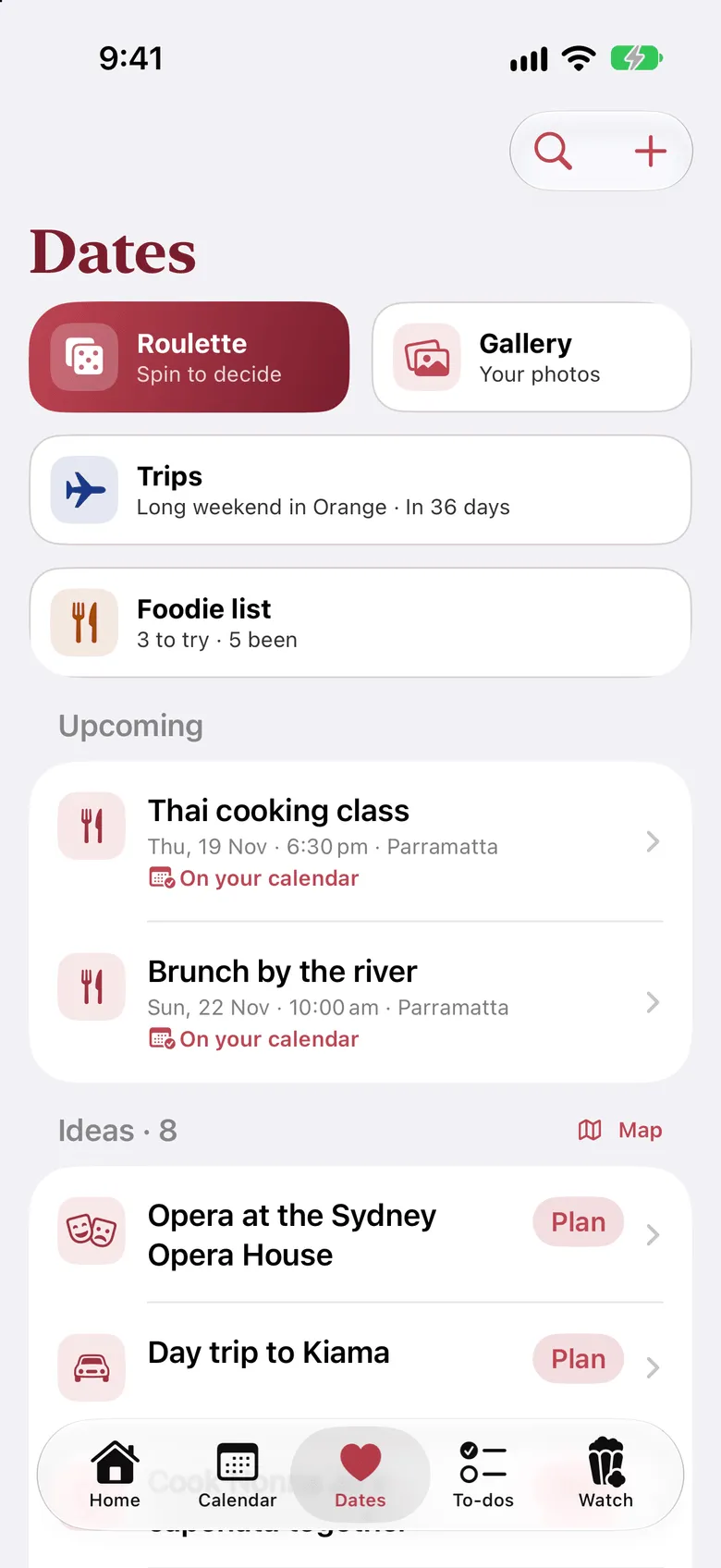
Pottery class, that new Thai place, the walk you keep meaning to do. Save it the moment it comes up, so it’s there when you need it.
Pick an idea, choose the night and how long it’ll take, and it goes on your shared calendar as a plan for both of you.
Choose a night and spin. The wheel fills with your saved ideas and picks one. Not feeling it? Ask for a respin, and your partner gets a say.
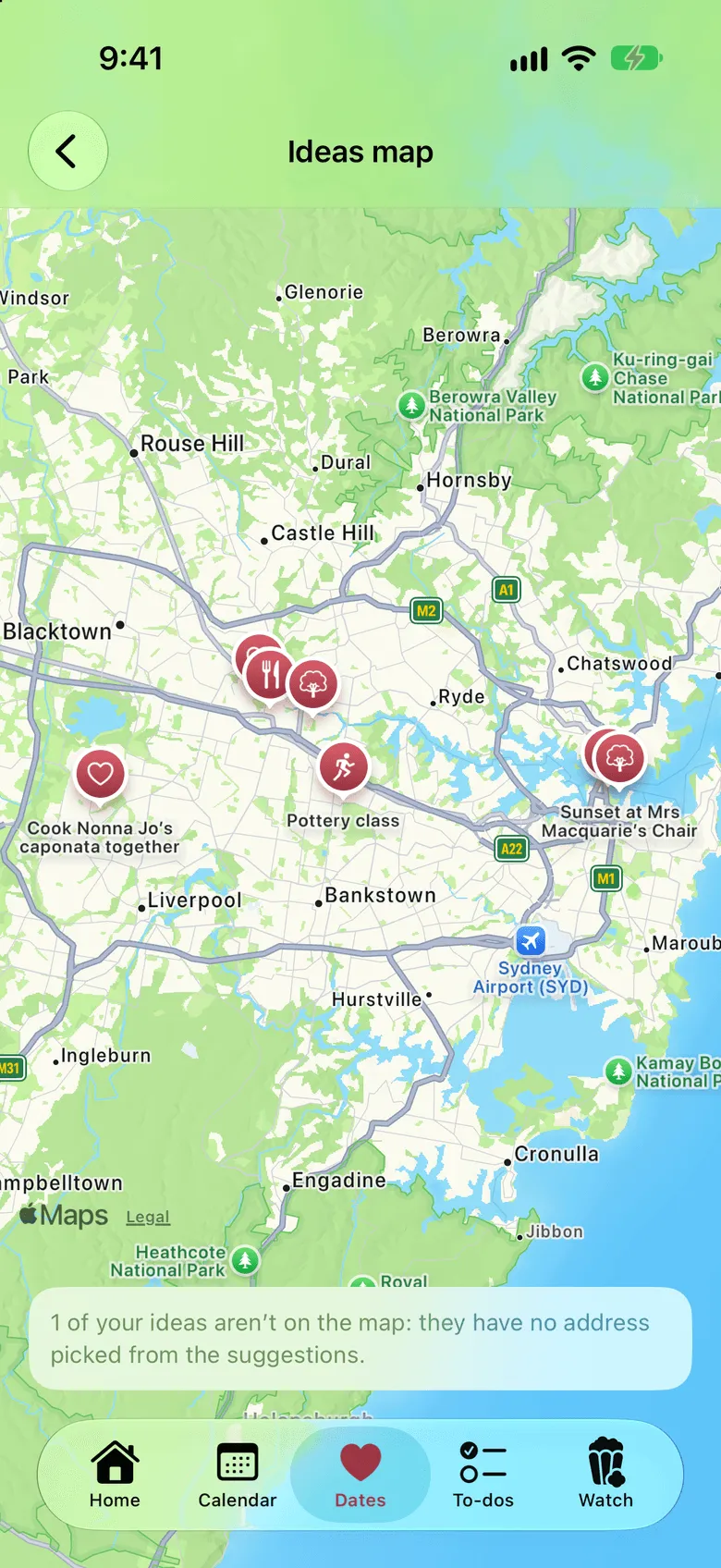
Add a place and notes to any date, so the booking time and the address are in one spot. See your saved ideas on a map, each pin showing the kind of date.
Add photos to a date afterwards. They stay with the date and appear in your shared Gallery.
Planning something they don’t know about? Make the date private. Only you can see it, and it stays off the wheel.
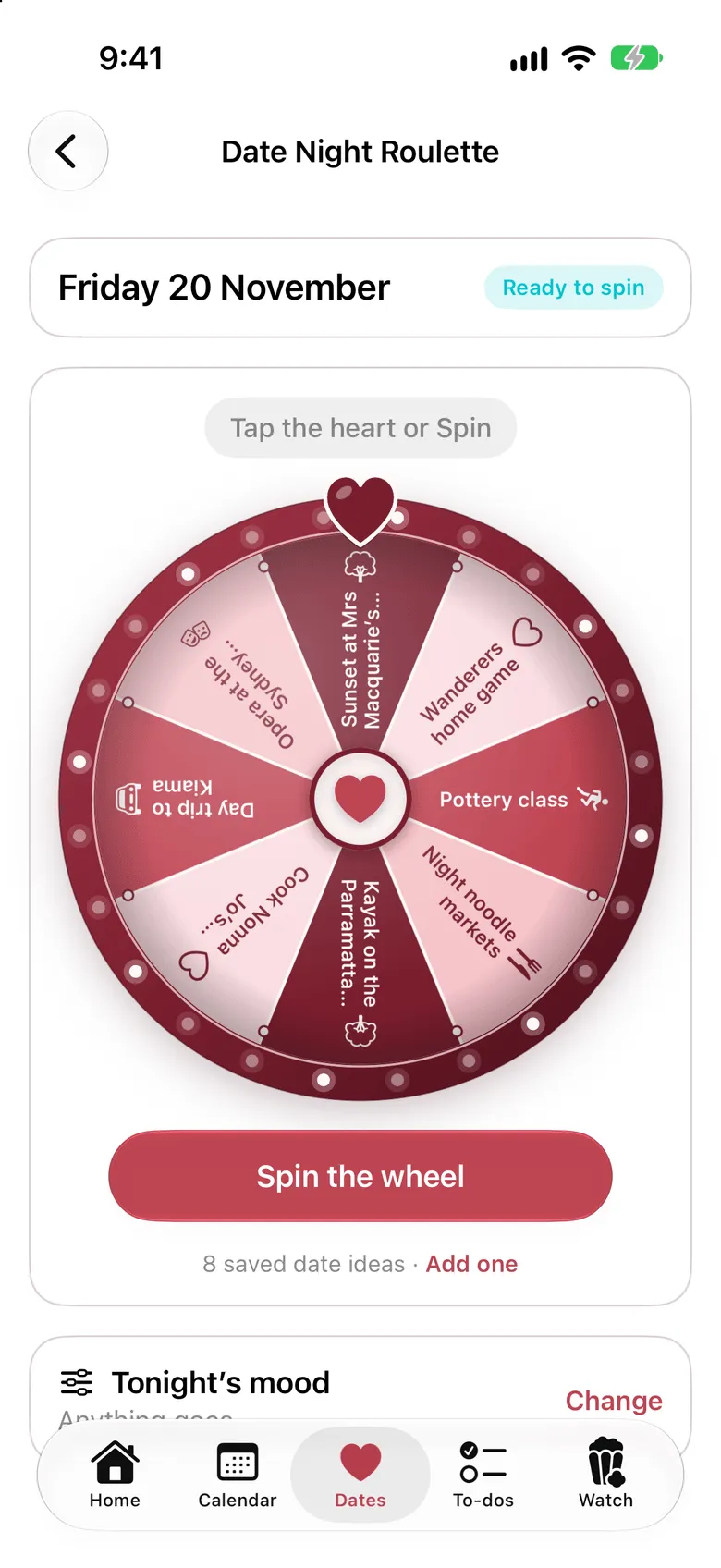
Date Night Roulette
“What do you want to do?” “I don’t mind, what do you want to do?” Pick a night, spin your saved ideas, and let the wheel settle it.
Ideas on a map
Give an idea a place and it lands on the map, with an icon for the kind of date it is. Handy when you’re already out and wondering what’s close by.
Dolceora news
You can now connect ChatGPT, Claude or another AI assistant to Dolceora to ask what’s on, find a free evening and add plans by voice. Here’s how to set it up.
· 3 min read
Date nights
A simple system for planning date nights as a couple: keep an ideas list, pick a regular night, take turns choosing and end the “what do you want to do?” loop.
· 5 min read
Planning together
A simple weekly check-in for couples: what to cover in 15 minutes, the questions worth asking, and how to stop it turning into a meeting.
· 4 min read
Set it up in a minute, then send your partner a code. You’ll both see whose plans are whose from day one.
Free for both of you. On iPhone, and in the browser on any phone, tablet or computer.